
Universities have been fighting absenteeism for years. In secondary school it happens less, thanks to attendance tracking and the constant contact between teachers and families, but the result is not always better: students often spend session after session in a passive state. To a large extent, this is because lessons do not always revolve around hands-on procedures and stay more on a theoretical level. It is not always like that, and it is certainly debatable, but it happens often.
Whenever the subject allows it, practical work should be done during the session, with the teacher’s experienced help and with examples from the working world or from other fields outside education. If the assignment can be handed in later, from home, the class is no longer essential, and perhaps neither is the teacher. And today, with generative artificial intelligence within everyone’s reach, an assignment done outside the classroom no longer even proves that the person who signs it actually did it.
I believe students learn by doing, and also by making mistakes, without being penalised for it in their assessment. What matters is doing, not getting it right. That is the idea behind Tao: assignments are handed in in the classroom, during the session. Not later. Right there.
Learning by doing, and by getting it wrong
This approach is not a personal whim. Educational research has shown for years that class attendance is one of the best predictors of performance at university. And when students work actively, instead of just listening, they fail considerably less often than with traditional lecture-style teaching.
Mistakes are also part of the process. Tackling a problem, and failing, before receiving the explanation helps you understand it better afterwards: this is known as productive failure. That is why in Tao what counts is being active, not getting it right first time.
This also demands something of me as a teacher: designing assignments that can be done within the session, without students having to look up information on their own, and with a short introductory explanation of ten minutes at most. The less time students spend listening, the more time they spend doing.
What is Tao?
Tao is a program that students log into with their own credentials. The teacher can enrol them with a CSV file, in the same format Moodle uses, or manually, one by one.
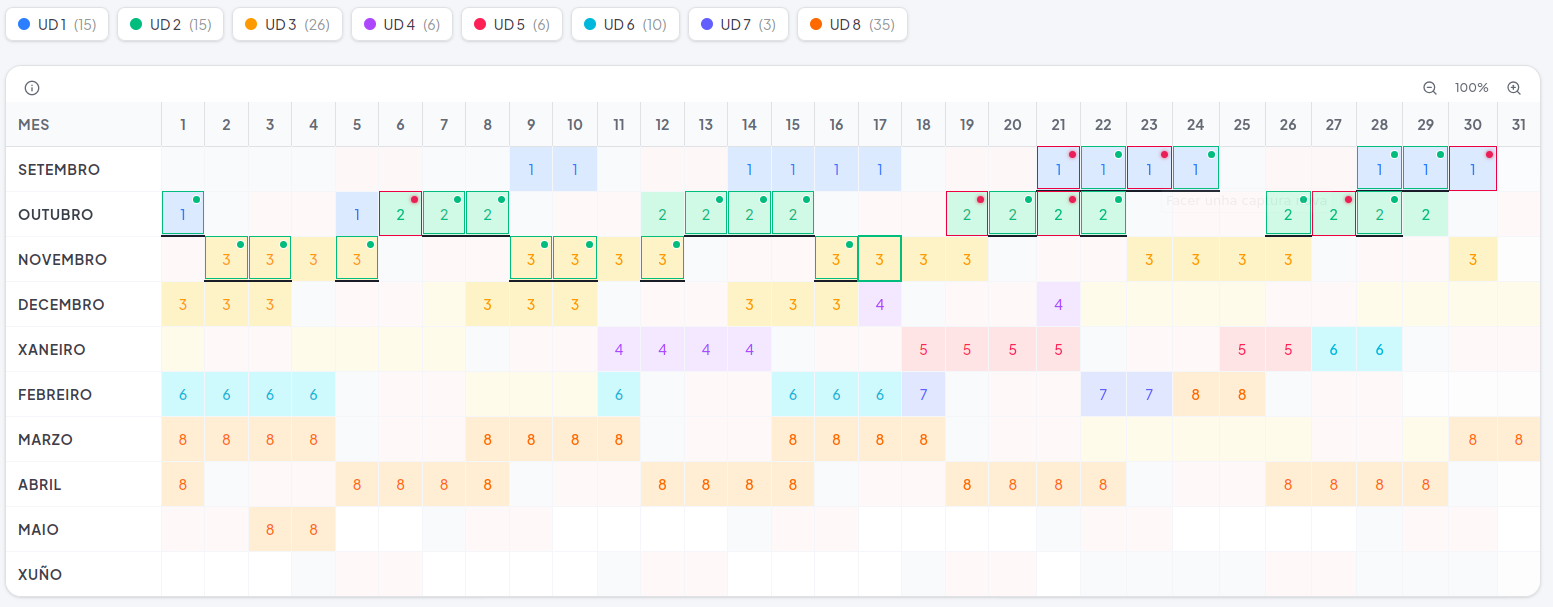
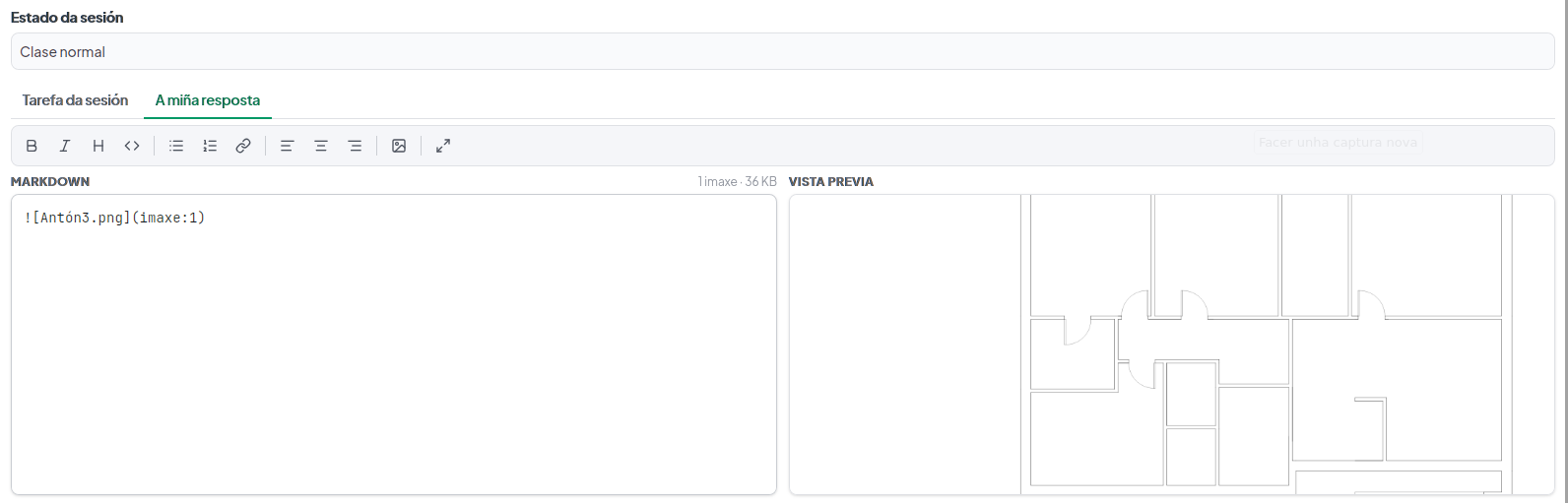
When they log in, each student always sees the school calendar with the weekly sessions. Each session is linked to its teaching unit, so they always know how many sessions the unit has had and how many are left. To hand in work, they click on the day’s session and upload their files or answer directly in markdown, a very simple text format. A green or red indicator on each session shows at a glance where they have handed in work and where they have not.
How it works under the hood
Tao is a client that talks to a file server, File Browser Quantum. In my case, the server is installed on the teacher’s computer, for several reasons:
- Speed. Everything stays within the classroom’s local network, so transfers are fast.
- Data protection. Students’ work never leaves the school or passes through third-party services. This is in line with what data protection regulations require (processing only the data that is needed, in as few places as possible) and greatly reduces the risks, although it does not exempt you from complying with them.
- Teaching. Students can only hand in work during the session; outside it, they cannot. That said, the teacher can unlock earlier sessions when needed, so that someone can still hand in their work. If the file server is installed on a machine with a public address, such as a VPS, this way of working can be reconsidered and adapted to a different methodology.
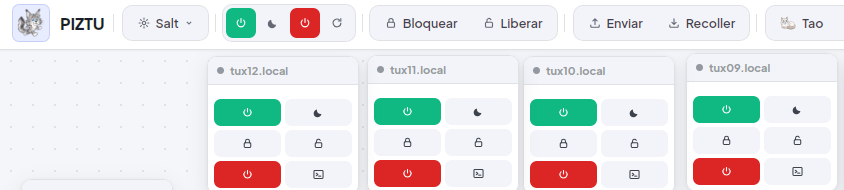
Tao is installed on every computer in the classroom. From Piztu it installs in two clicks: just hold down the Tao module button for three seconds.
Questions are bound to come up: what can be uploaded, what size is allowed… I have tried it with small text and image assignments, and it works well. I do not yet have experience with large video or audio files, so I will keep testing and improving both the client and the server configuration.
Handing in work without hassle
Moodle is a powerful and flexible platform, but for a daily hand-in in the classroom it is more than you need. Publishing an assignment for every session ends up being a burden for the teacher. With Tao and the file server, publishing is quick and the process is clear for both teachers and students, with no endless configuration. A teacher’s job should be simpler than all that.
In addition, students can generate a daily, digitally signed report of their work. The signature guarantees who hands it in and when. Together with the individualised assignments that can be created with Lua for science subjects, this goes a long way towards closing the door on plagiarism.
Backups are simple too: students’ work is stored as folders of files, which the teacher can copy at any time.
Learning from each other
I like students to help each other. A student often learns more by explaining something to a classmate than by studying alone. The Romans already said it, docendo discimus (“by teaching, we learn”): preparing and giving an explanation forces you to organise your ideas and improves your own understanding.
That is why Tao allows communication between students, and between students and the teacher. Since every group is different, the teacher can switch that communication off for a particular group if they think it necessary.
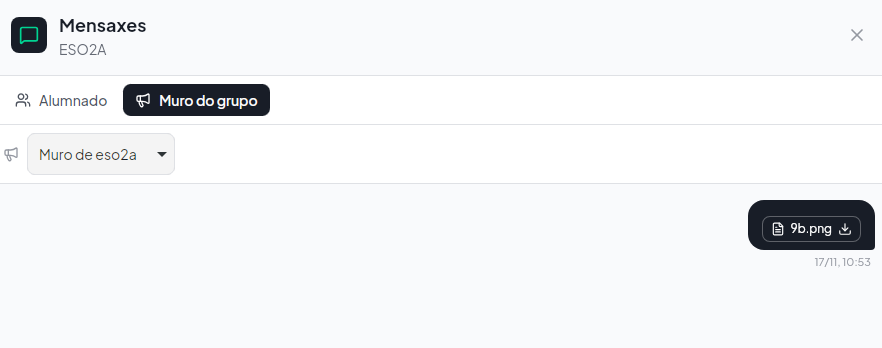
The teacher uploads assignments to the day’s session, and can also post resources and links on the classroom wall. To avoid oversights and forgetfulness, I think it is best to always do it the same way.
Assessing the process, not getting it right
The teacher can get a report of the assignments handed in and not handed in for each teaching unit, for each student or for a whole group. I find it a valuable report because it captures exactly what I want to encourage: that students come to class and stay active.
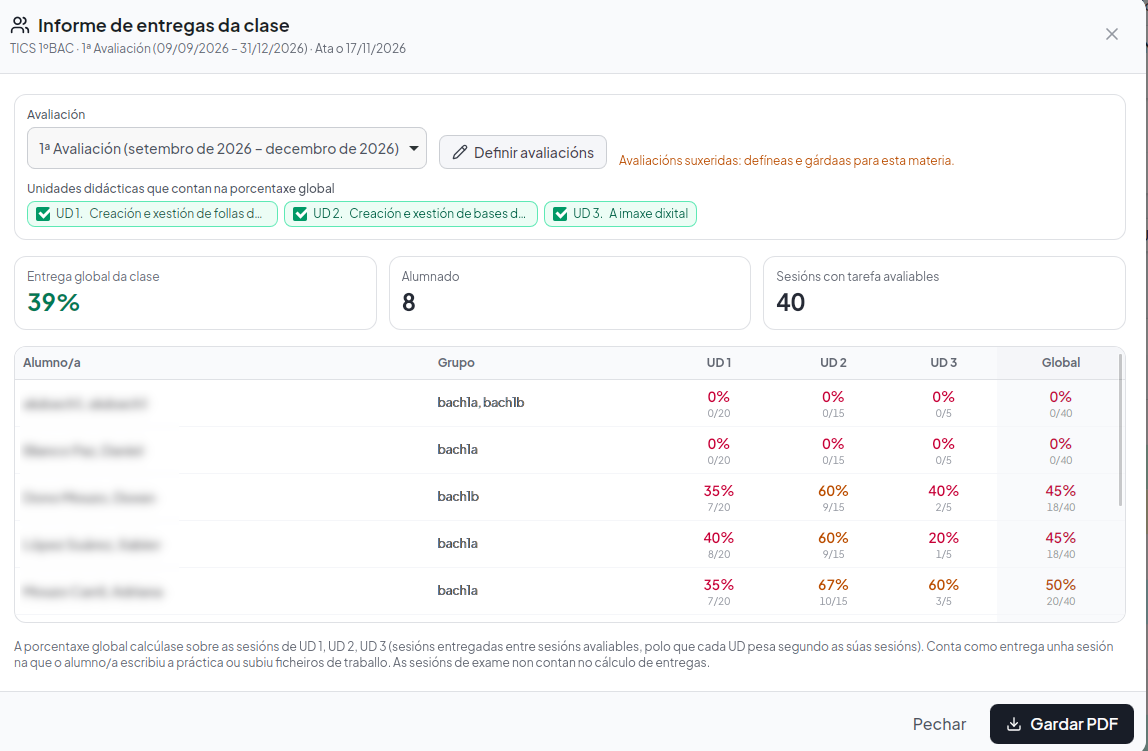
It does not replace assessment, but complements it, together with the teacher’s observations on progress, participation and exams. This is what is known as formative assessment: using information to improve learning while it is happening, and not just to give a mark at the end.
At the same time, Tao does not force the teacher to mark every single assignment the students hand in, since the correction can be done together with the whole group once the assignment has been submitted. Tao is designed to assess the process, checking that the student attends class and hands in the work. That said, if the teacher wants to mark every submission, the application allows that too.
Assessment in Moodle is extremely detailed: it goes down to hundredths, which is how you end up with marks like 4.98. Setting it up properly takes years of practice, and it is worth asking whether so much effort pays off when, in the end, the question is simply whether a student knows the subject or not. Tao aims for a simpler, more natural kind of assessment: checking whether the student attends class and stays active by handing in the assignments, as a complement to the assessment of other aspects.
A classroom diary
There is another use for Tao that I was not looking for at first and that has become one of the ones I value most: it works as a classroom diary. Since every session is recorded in the calendar with its assignments, resources and hand-ins, the teacher always has a clear record of what was covered in each class.
A glance at the calendar is enough to see when each teaching unit started and finished, how many sessions were devoted to it and what materials were used in each one. All that information, which would otherwise be scattered across notebooks, loose notes or memory, is organised and always at hand.
This is especially valuable when it comes to tracking the course plan in Proens, the Xunta de Galicia’s application for Galician teachers. Instead of reconstructing from memory what was done during the term, you just check Tao and copy the data across.
In short
We will keep looking at Tao from other angles. In this first approach, I would highlight five things:
- it keeps students active during the session;
- it handles hand-ins with a simple, quick file system;
- it makes peer support easier;
- it gathers useful information for assessment: whether the student came to class and whether they worked in it;
- and it works as a classroom diary, very useful for tracking the course plan in Proens.