Five modules, one ecosystem
Xesta and Pancho control the physical classroom; Tao connects with students and distributes material; Yang creates that material; Lua documents the department’s work. Pick the pieces you need.
Xesta
Manage the classroom by talking to it
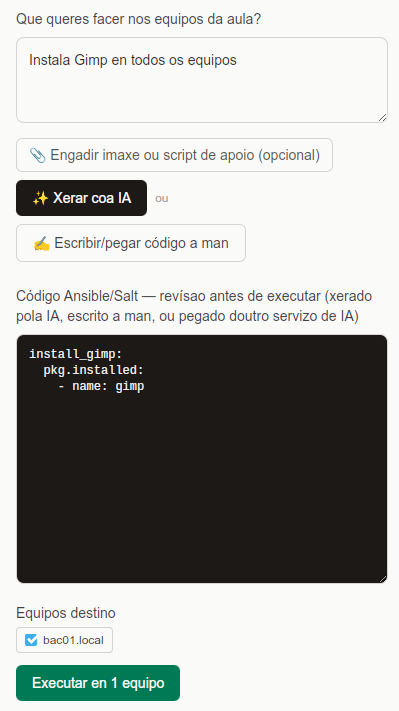
Turns a natural-language request into an Ansible or Salt script, ready to run on the classroom’s computers. Instead of writing a playbook by hand, teachers describe what they want done and Xesta generates the corresponding action.
- Lowers the technical barrier: no systems administration knowledge needed
- Speed: what would take writing and testing a playbook happens in a single sentence
- Secure by design: isolated from the Tao module, never accesses student data
Pancho
Know who’s at each computer, at a glance
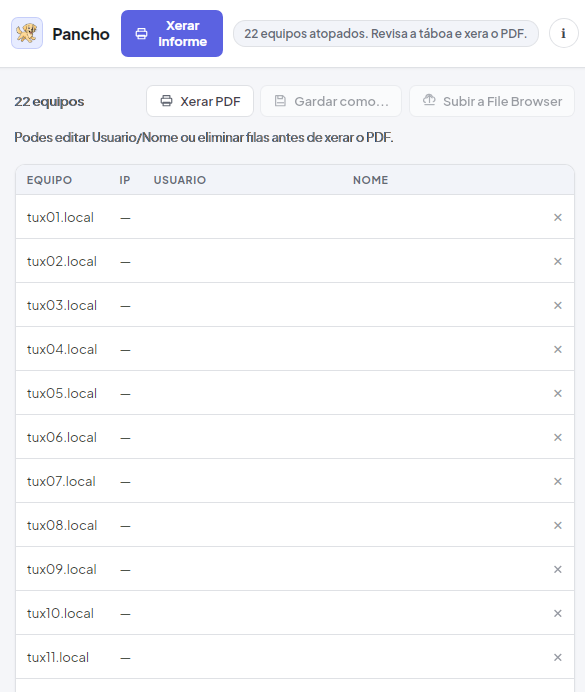
Generates a PDF report of the classroom’s real status: which computer each student is using and with what IP, in one tidy table ready to save or hand in.
- Stores nothing on its own: neither credentials nor IPs are saved
- Accesses sensitive data only when the teacher explicitly authorises it with their own credentials
- A full classroom report in seconds, with no prior setup
Tao
The student’s seat, controlled and connected
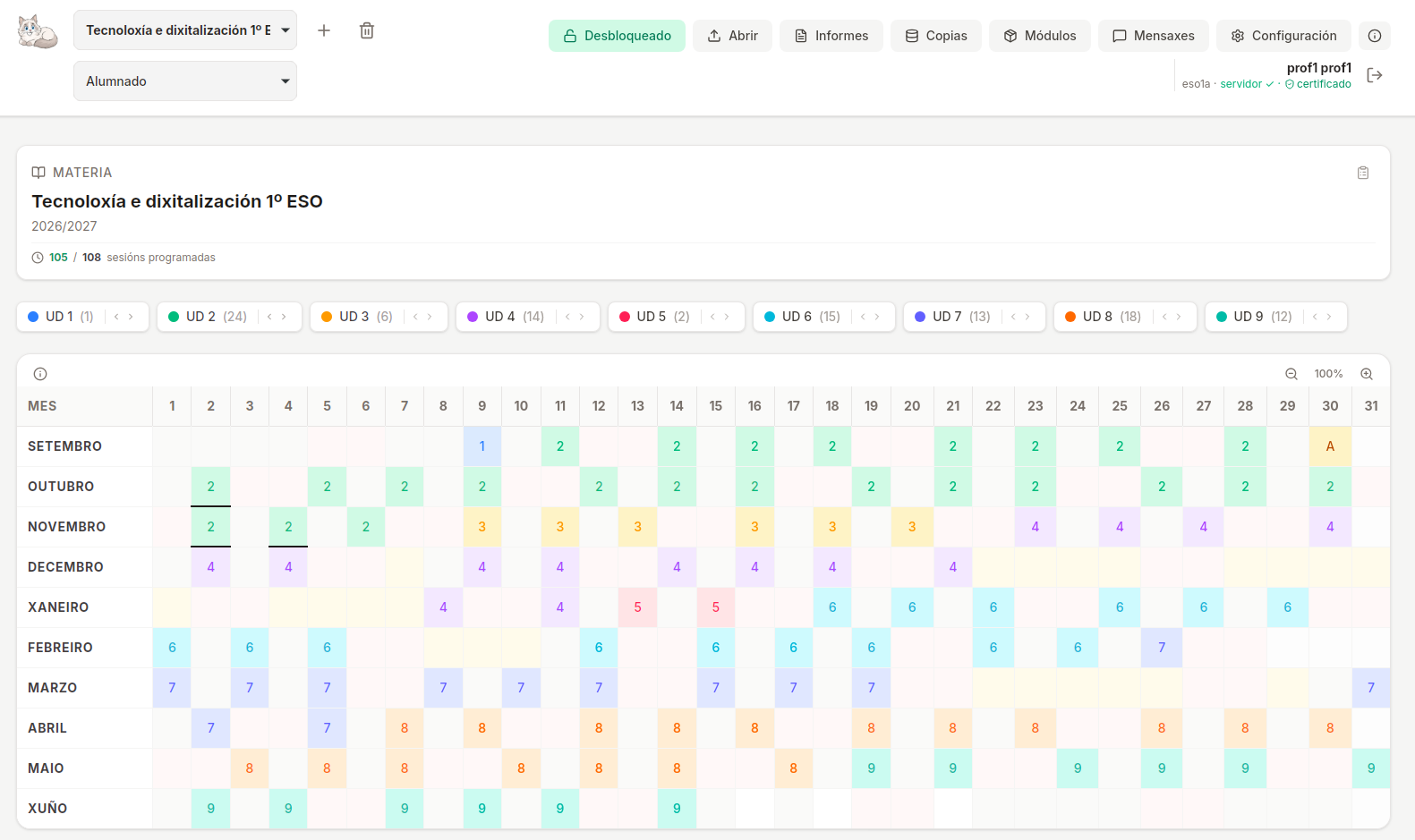
Tao is the module that lives on each student computer. It locks and monitors the screen, includes a file browser and a session history — and it’s also the piece that makes it possible to distribute material created with Yang and check it was done properly.
- Real visibility of the classroom: you know what each student is doing, not just which computer is on
- Individualised distribution of assignments, with a digital signature to deter copy-pasting
- Strict data isolation: only accessed when the teacher explicitly authorises it
Yang
Create assignments and exams without writing code
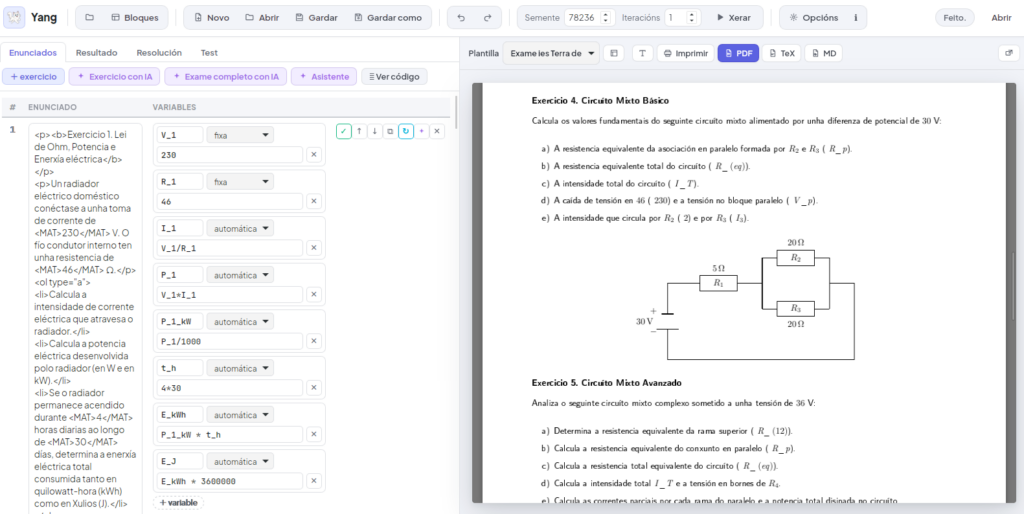
A block-based editor (Snap!-style) with a real PDF preview, built to create assignments and exams — general or individualised per student — without having to wrestle with any layout tool.
- Real speed: creating a full test takes minutes, not hours
- Flexibility: use it alone, in virtual-classroom mode (Tao + Yang), or as part of the full ecosystem
- No external tools: no separate LaTeX or PDF editor — all from one visual editor
Lua
Department schedule and minutes, without fighting the formatting
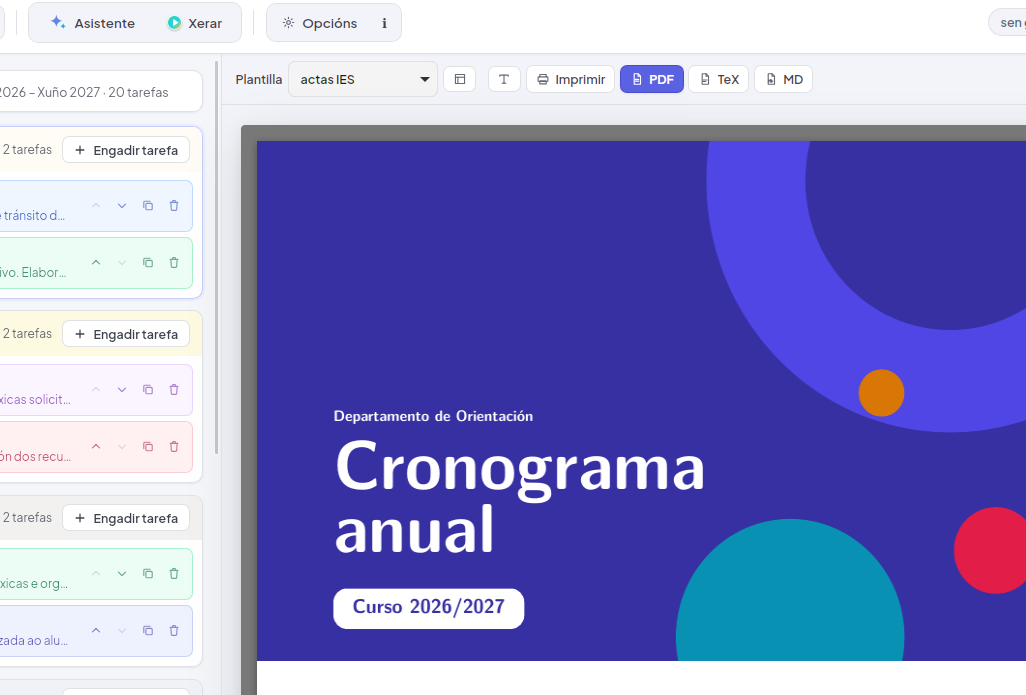
Lua produces the subject department’s paperwork: the annual schedule, the monthly minutes and the tracking of each subject’s curriculum plan. Teachers write the content in a simple form and Lua takes care of the cover page, contents, layout and signature, in the school’s own style.
- Less paperwork, more teaching: monthly record-keeping replaces reconstructing the year from memory in June
- One style for the whole school: logo, header and colours are defined once and apply to every document
- Comes out as PDF, Word and OpenDocument, and an optional AI assistant helps write and build the style from a sample document