 Piztu
Meet A tarandeira do git, a simulator for learning git and GitHub step by step, with a cat who explains every idea in comic strips and a map that shows live what happens inside the repository with each command.
Play now →
piztu.org/git
It runs in the browser. Nothing to install, no account to create.
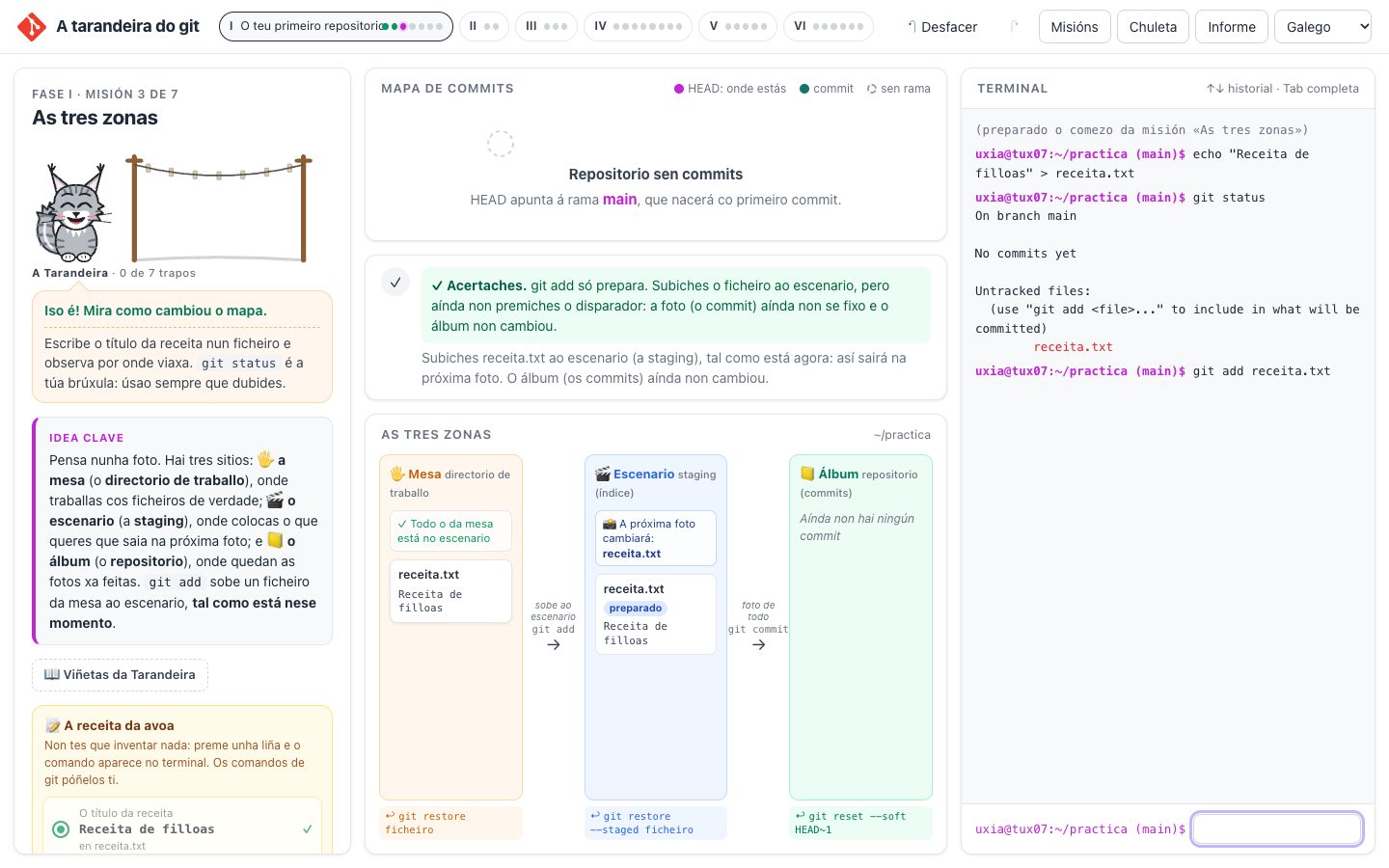
Mission “The three zones”: the terminal on the right, and in the centre what just happened and where each file is.
Why another way to learn git?
Git is an essential tool for anyone who programs, writes documentation or works in a team, but at first it is scary. The commands look like magic, the messages are cryptic and a misplaced git reset is frightening. Many people learn to copy commands without ever understanding what each one does.
A tarandeira do git turns this around: before you type, you understand the idea. And when you type, you see the effect. Everything happens in a simulated terminal, so you can make as many mistakes as you like. There is a button to undo the last command, and no mistake has consequences.
Metaphors you can see
Git has three places where files live, and the game always draws them on screen:
- 🖐 The desk: the working directory, where you actually write.
- 🎬 The stage: the staging area, what will appear in the next photo. You get there with
git add. - 📒 The album: the repository, the photos already taken. Each
git commitis a photo.
When branches arrive, the commit map becomes a road map. Each commit is a village, each branch a road with its own sign, HEAD is the car and a merge is a junction. Each mission has its own Tarandeira comic strips, designed so that anyone can understand them, even if they have never opened a terminal.
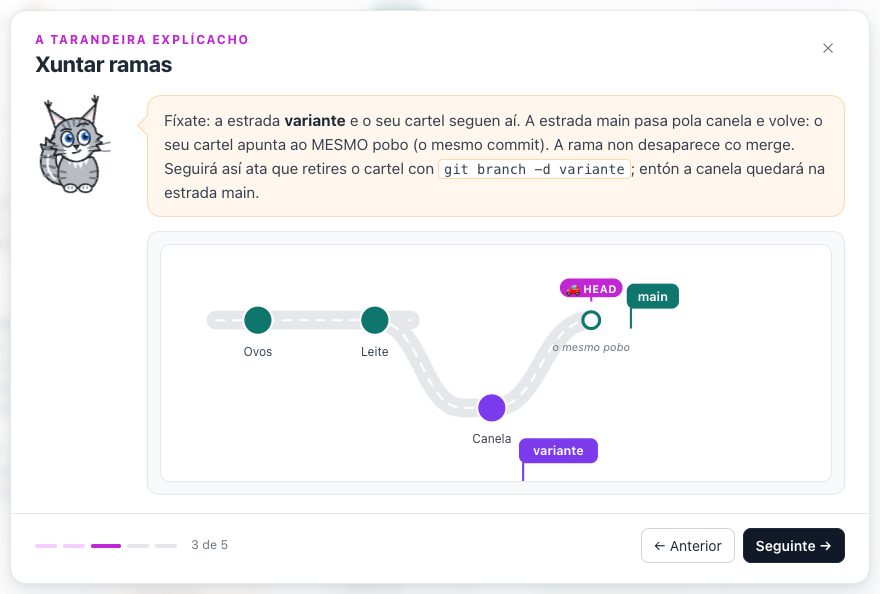
The comic strips explain each concept before you practise it.
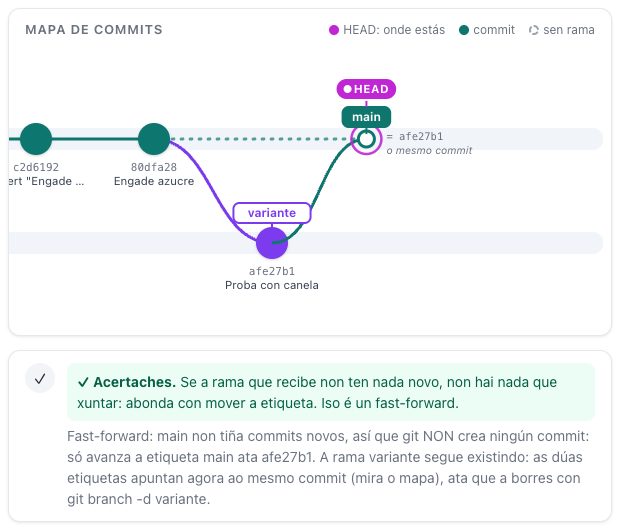
The commit map animates with every command. Here, a fast-forward.
A complete path, from zero to collaborating
36 missions in seven phases, from your first git init to a real Pull Request:
- Phase I · Your first repository (7 missions): create, look and save.
- Phase II · Time travel (2 missions): compare and undo: restore, revert, reset and reflog.
- Phase III · Branches (3 missions): experiment without fear, merge and resolve conflicts.
- Phase IV · GitHub: collaborating (8 missions): fork, clone, push and Pull Request.
- Phase V · Teamwork (5 missions): a shared repository, reviews and conflicts.
- Phase VI · Craft (6 missions): stash, tag, cherry-pick, rebase, .gitignore and blame.
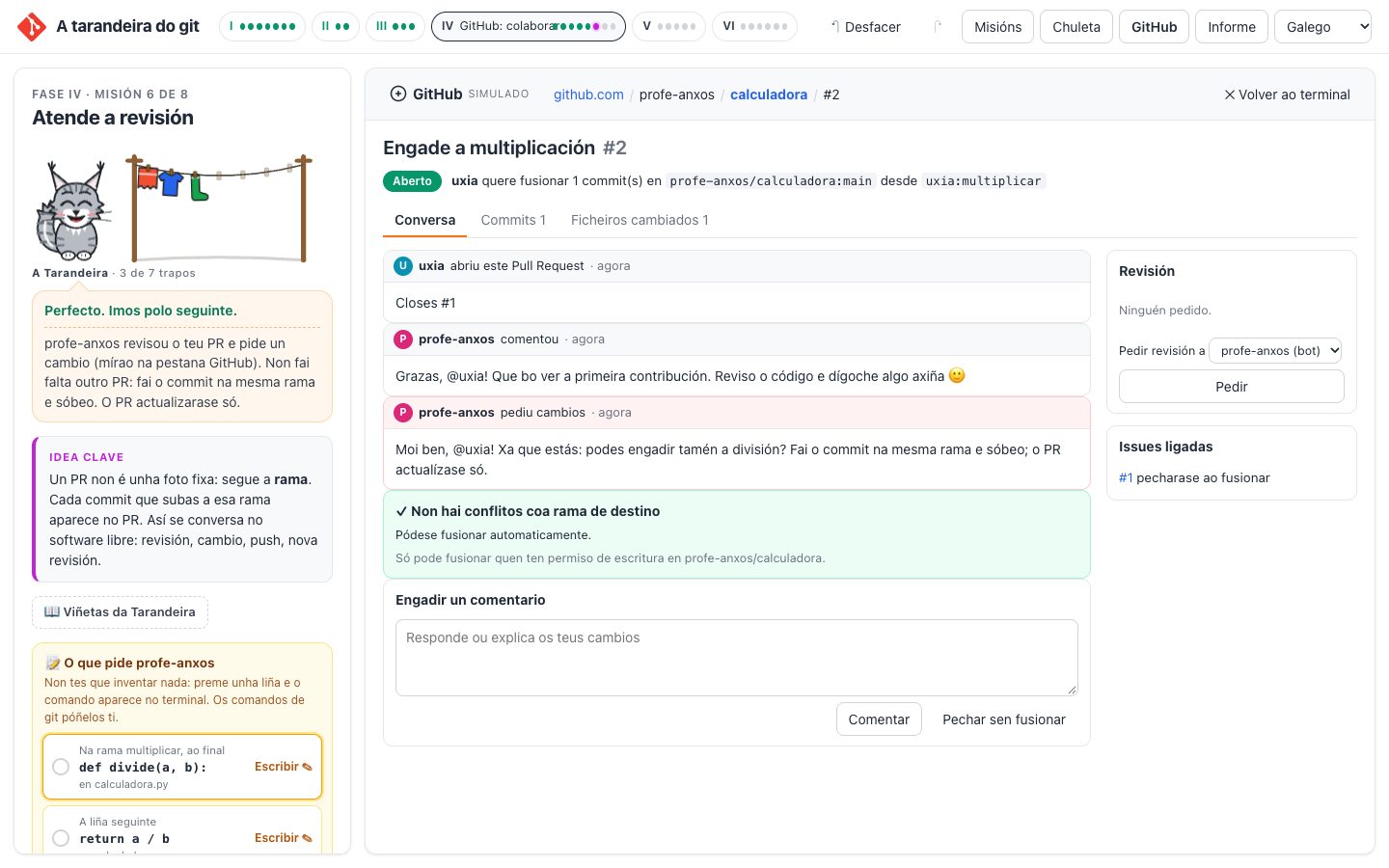
The simulated GitHub: forks, issues, Pull Requests and reviews. In some missions you switch roles and you are the one who decides whether to accept the contribution.
Who it is for
- Students in secondary school, vocational IT training or university who are about to use git for the first time and want to really understand it.
- Self-learners: people who have already copied a git command or two and finally want to know what is underneath, at their own pace and without fear.
- Teachers looking for a guided classroom activity, with progress tracking and teamwork.
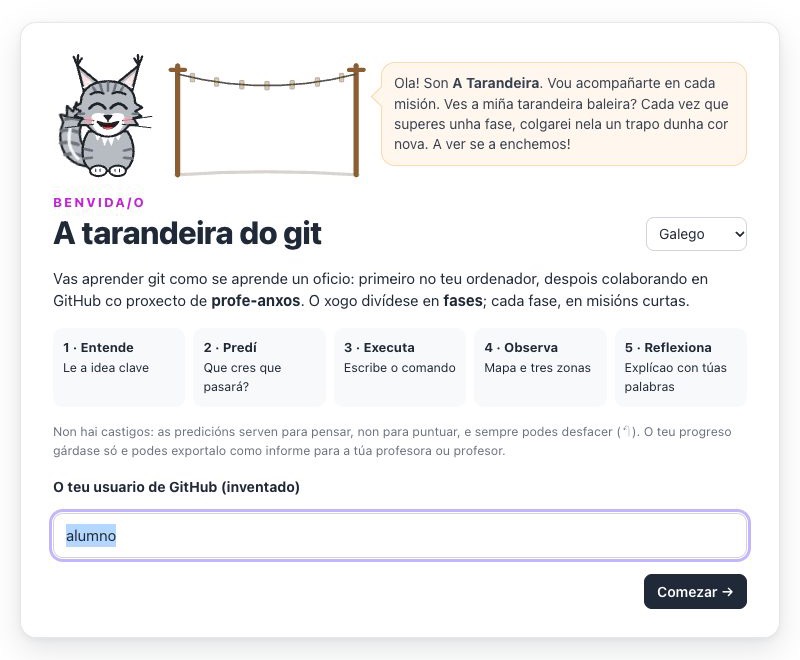
The welcome screen, with the language selector: Galician, Spanish, English and Portuguese.
Start the first mission →
piztu.org/git