
Yang 26.9 is now available
Piztu’s exercise and exam editor reaches version 26.9, available for Linux Debian, Windows and macOS. Here’s everything you need to download it and get the most out of it in the classroom.
📥 Downloads for version 26.9
💡 On Debian and derivatives the installer works out of the box. For Windows and macOS, download the corresponding file and follow your system’s usual installation steps.
🧩 One practice sheet for the whole class… or a different one for each student
One of Yang’s strengths is that an exercise’s statement doesn’t have to be fixed. You can define variables (numbers, expressions, results computed from other variables) and use them inside the statement text. That opens up two ways of working:
- Shared practice for the whole class: set fixed values for the variables and generate a single document (PDF, TeX or MD) that’s the same for every student.
- Individualised practice: by combining variables with iterations, Yang can generate as many versions of the exercise as needed —each with different values— so every student gets their own statement and their own solution, avoiding straightforward copying between classmates.
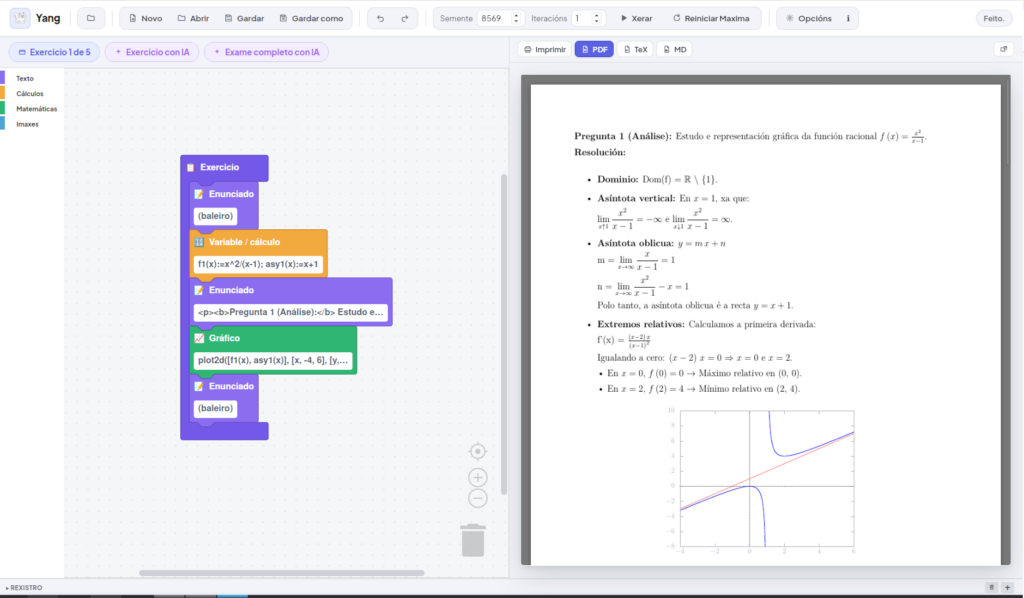
This is achieved by combining Statement blocks (the HTML text) with Variable / calculation blocks, where you define and operate on the values that are then automatically substituted into the statement and the solution:
✏️ A step-by-step example: from electricidade.matex to PDF
To see all of this in action, Yang’s own repository includes a real example ready to compile: electricidade.matex, a collection of seven electricity exercises (Ohm’s law, series, parallel and mixed circuits, energy consumption and circuit protection), with variables and calculations already set up.
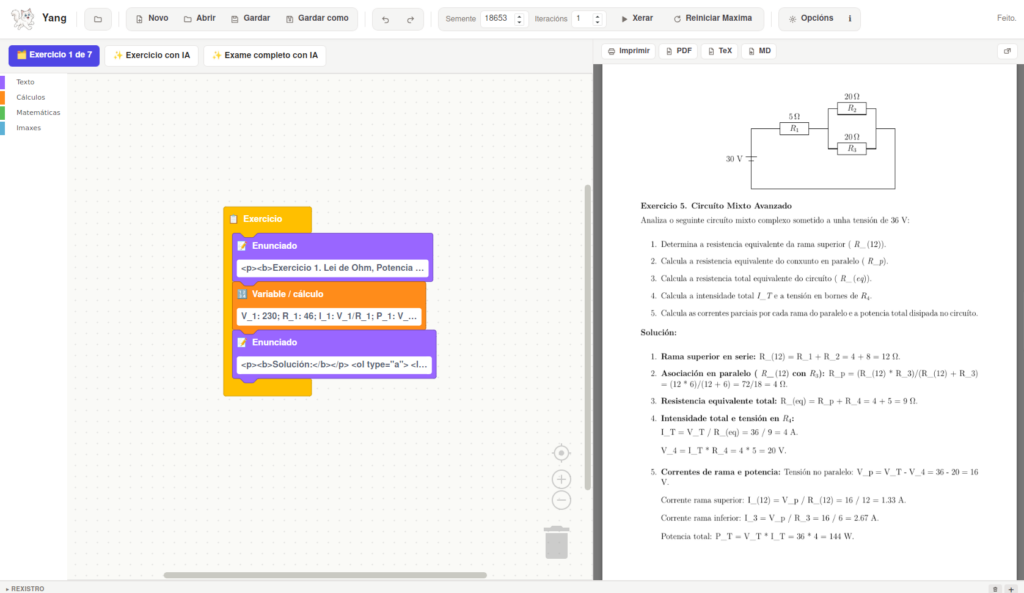
All you need to do is:
- Download the
.matexsource file and open it with Open in Yang. - Review or tweak the variables and statements if you like.
- Click Xerar (Generate) to get the final document as a PDF (also available as TeX or MD).
🤖 AI-assisted exercises and exams (optional)
Yang can also generate whole exercises and exams with the help of artificial intelligence. To turn this on, just:
- Create a free API key on the b.ai website.
- Open Yang and go to the Options menu.
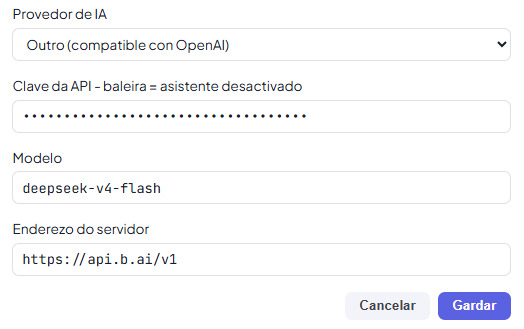
- Under Provedor de IA (AI provider) choose “Outro (compatible con OpenAI)” (“Other, OpenAI-compatible”).
- Fill in the API key, the Model (e.g.
deepseek-v4-flash) and the Server address (https://api.b.ai/v1). - Click Gardar (Save).
From then on, the Exercise with AI and Full exam with AI buttons become available, letting Yang propose and write new exercises automatically, keeping the same variables-and-statement format as the ones you create by hand:
ℹ️ This step is entirely optional: Yang works perfectly well without an API key — it’s just an extra for anyone who wants AI’s help when creating new exercises.
That’s today’s news. Download version 26.9, try out the electricity example, and let us know how it goes!