 Piztu
Four modules, one ecosystem
Xesta and Pancho control the physical classroom; Tao connects with students and distributes material; Lua creates that material and documents the department’s work. Pick the pieces you need.
Xesta
Manage the classroom by talking to it
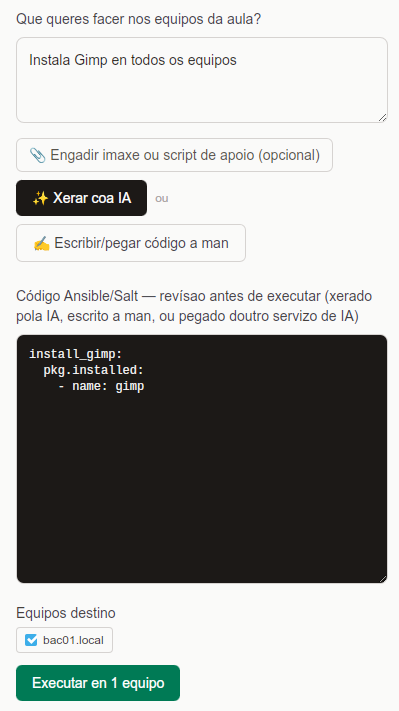
Turns a natural-language request into an Ansible or Salt script, ready to run on the classroom’s computers. Instead of writing a playbook by hand, teachers describe what they want done and Xesta generates the corresponding action.
- Lowers the technical barrier: no systems administration knowledge needed
- Speed: what would take writing and testing a playbook happens in a single sentence
- Secure by design: isolated from the Tao module, never accesses student data
Pancho
Know who’s at each computer, at a glance
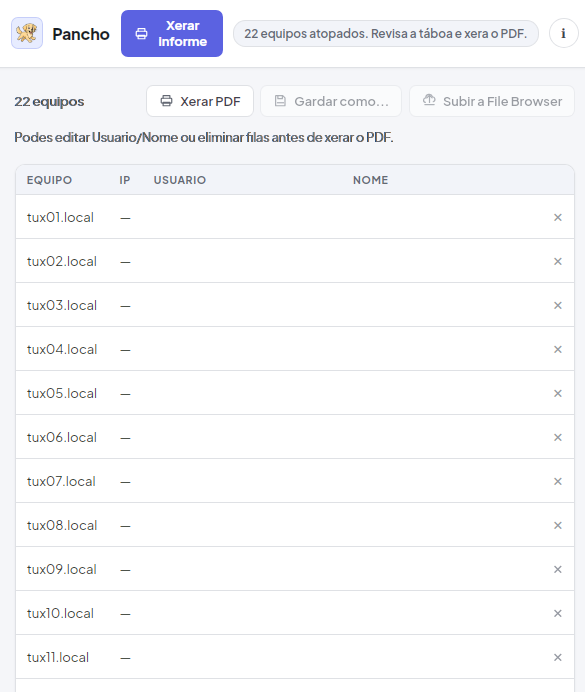
Generates a PDF report of the classroom’s real status: which computer each student is using and with what IP, in one tidy table ready to save or hand in.
- Stores nothing on its own: neither credentials nor IPs are saved
- Accesses sensitive data only when the teacher explicitly authorises it with their own credentials
- A full classroom report in seconds, with no prior setup
Tao
Assignments handed in in the classroom, during the session
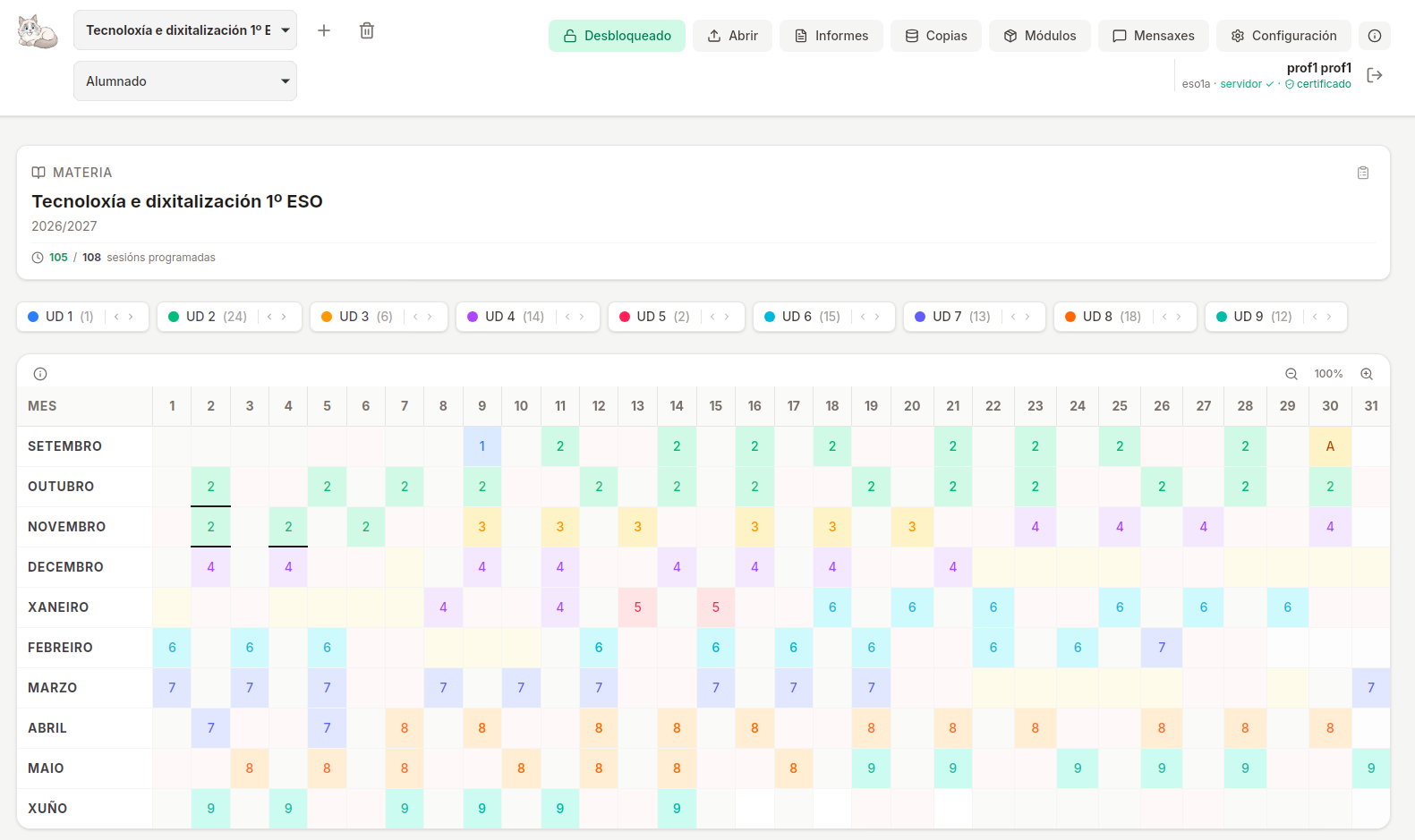
Tao is the program students use to hand in their work from each classroom computer. Each student sees the calendar with the sessions of every teaching unit and hands in work in the day’s session, uploading files or answering in markdown. Submissions are stored on a file server installed on the teacher’s computer, without leaving the classroom.
- Learning by doing: assignments are handed in during the session, and a green or red indicator shows at a glance what has been submitted
- Assessing the process: hand-in reports by teaching unit, for each student or for the whole group
- Classroom diary: what was covered in each session, how many sessions each unit took and what materials were used, ready for tracking the course plan in Proens
- Data stays in the classroom, less plagiarism: work never leaves the school, and digitally signed reports and individualised assignments with Lua deter copy-pasting
Lua
Assignments, exams, reports and department paperwork, without fighting the formatting
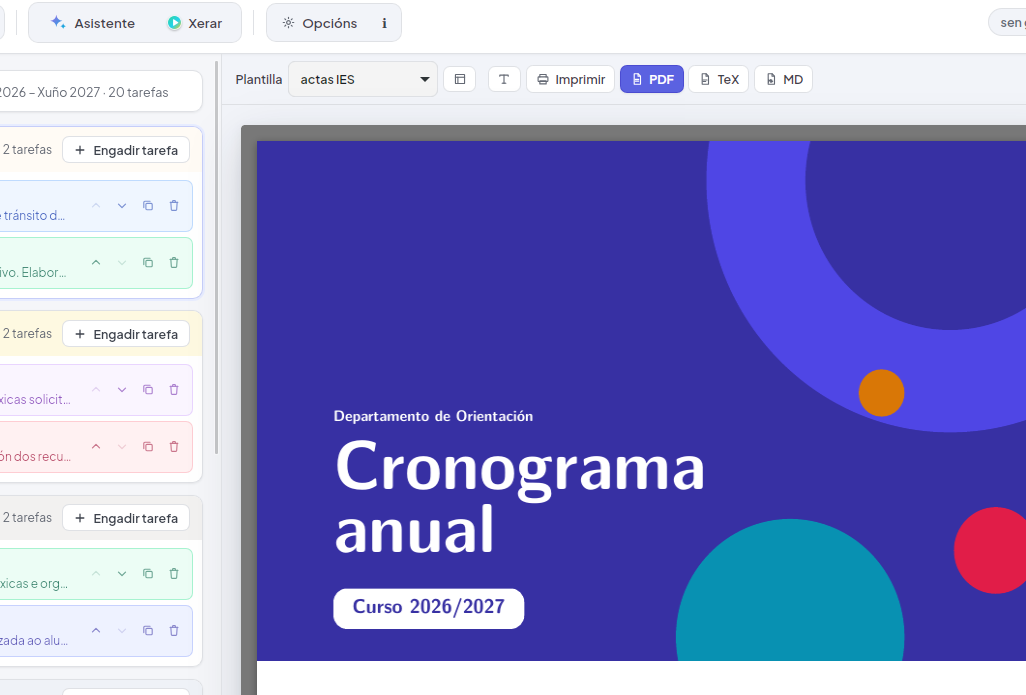
Lua creates assignments, exams and reports — general or individualised per student — and produces the teaching department’s documentation. Teachers write the content by hand or with help from an AI assistant, and Lua takes care of the cover, the table of contents, the layout and the signature, in the school’s own style and as PDF, Word or OpenDocument.
Ways of working with Lua, step by step on the blog:
- An exam from scratch: the AI assistant helps you write a complete exam, with solutions and ready as a PDF
- From your own documents: exams and practice sheets based on past university entrance exams, notes or worksheets gathered in a knowledge vault
- Individualised worksheets: a version of the same assignment for each student, with different numerical values
- Reports from public data: query sources such as INE, IGE or datosclima.es and write evidence-based reports with charts
- Department paperwork: yearly schedule, monthly minutes and syllabus tracking, without rebuilding the year from memory
Download the Piztu installer
Choose the installer for what you need: manage the whole classroom, run just a virtual classroom with the editor, or install only Lua to create assignments, exams and your department’s documentation.
Do you manage a physical classroom?
Piztu completo
Includes everything: classroom control (Xesta, Pancho), a virtual classroom, and Lua for creating material and documentation.
Do you create material or document your department?
Lua standalone
Create assignments and exams, general or individualised, and produce the yearly schedule with the key milestones of the school year, the department’s monthly minutes and the syllabus progress log, exporting to PDF, Word and OpenDocument. Available for Linux, Windows and macOS.
Where to start?
If you’re new to Piztu and not quite sure where to begin, we can go step by step, so you get to know the project little by little.
Installing Lua
Lua creates assignments, exams and department documentation. You can write them by hand or use AI to create them. First, download Lua, open this sample schedule and compile it to PDF:
If you add your own AI API key (for example, a Gemini one), you’ll be able to see how exercises and assignments are generated with the help of Lua’s built-in assistant.